How the Freighter Wallet App Streamlines Stellar Asset Management for Everyday Users
The world of digital finance has grown beyond simple transfers. Today, users need tools that combine security, ease of use, and direct access to decentralized applications. For anyone active on the Stellar network, the freighter wallet app has become a notable solution. It is designed not just to hold assets but to serve as a gateway to the broader Stellar ecosystem. Whether you are sending USDC, managing XLM, or exploring new blockchain-based tools, understanding what this wallet offers can help you make better decisions about your digital assets.
In this article, we will take a close look at the freighter wallet app, its key features, how it compares to other options, and why it has gained traction among Stellar enthusiasts. We will also answer common questions about setup, security, and everyday usage. By the end, you will have a clear picture of whether this wallet fits your needs.
What Is the Freighter Wallet App?
Freighter is a non-custodial wallet built specifically for the Stellar blockchain. Unlike custodial wallets where a third party holds your private keys, Freighter gives you full control over your funds. The app is available as a browser extension and a mobile application, allowing you to manage your assets across multiple devices. Its primary purpose is to let users send, receive, and store Stellar-based tokens, including lumens (XLM) and anchored assets like USDC.
The wallet also acts as a bridge to Stellar apps. Many decentralized applications (dApps) built on Stellar require a wallet to interact with their services. Freighter provides a seamless connection, enabling you to sign transactions and approve actions directly from your wallet interface. This integration makes it a central hub for anyone actively using the Stellar network.
Key Features That Make Freighter Stand Out
Non-Custodial Security
One of the most important aspects of any cryptocurrency wallet is how it handles private keys. Freighter is non-custodial, meaning your private keys are stored locally on your device. They never leave your possession, and the company behind the wallet does not have access to your funds. This reduces the risk of exchange hacks or internal misuse, common concerns in the crypto space.
Browser Extension and Mobile App
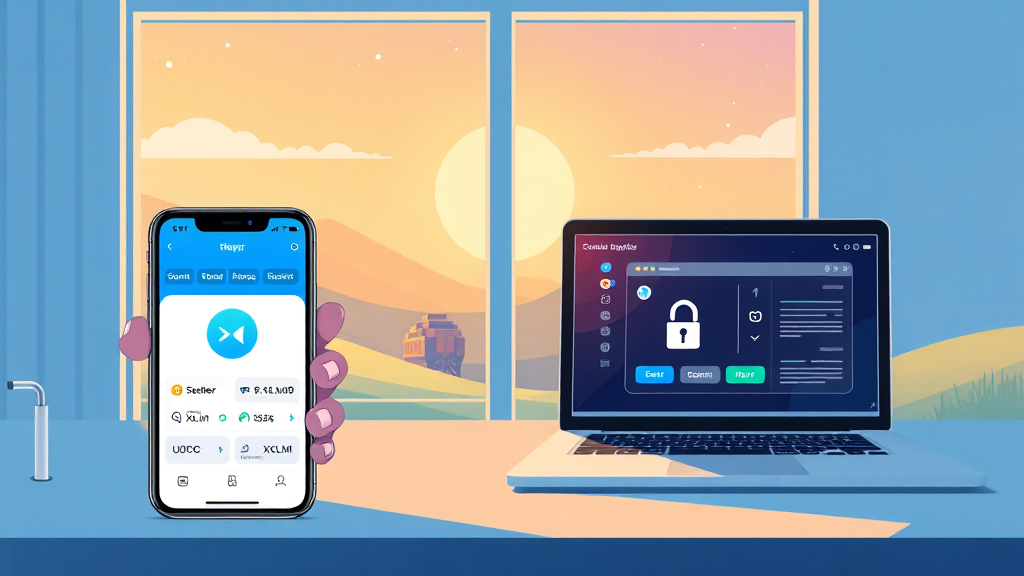
Freighter offers both a browser extension for Chrome, Brave, and other Chromium-based browsers, and a mobile app for iOS and Android. The browser extension is particularly useful for interacting with web-based Stellar applications, while the mobile app lets you manage your assets on the go. Both versions sync with your Stellar account, so you can switch between devices without losing track of your balances.
Built-In Asset Management
The wallet supports a wide range of Stellar assets, not just XLM. You can hold USDC, other fiat-backed stablecoins, and custom tokens issued on the Stellar network. The interface displays your balances in a clean, readable format, and sending assets is as simple as entering the recipient’s public address and the amount. For those new to crypto, this simplicity is a welcome change from more complex wallets.
Seamless dApp Integration
Freighter is designed to work with Stellar apps. When you visit a Stellar-based dApp, you can connect your wallet with a few clicks. The wallet prompts you to approve transactions, and you can review the details before signing. This feature is crucial for using decentralized exchanges, lending platforms, or NFT marketplaces built on Stellar.
How to Get Started with Freighter
Setting up the freighter wallet app is straightforward. First, you download the extension from the official website or your browser’s extension store. After installation, you will be prompted to create a new wallet. The app generates a 12-word recovery phrase, which you must store securely. This phrase is the only way to restore your wallet if you lose access to your device, so write it down and keep it offline.
Once your wallet is created, you will see your public address, which you can share to receive funds. To add funds, simply send XLM or other Stellar assets from an exchange or another wallet to your Freighter address. The transaction will appear in your balance after a few seconds, as Stellar’s network is known for its speed and low fees.
For mobile users, the process is similar. Download the app, create a new wallet, and back up your recovery phrase. You can then import an existing Stellar account by entering your secret key or recovery phrase, giving you flexibility if you are migrating from another wallet.
Why Choose Freighter Over Other Stellar Wallets?
The Stellar ecosystem offers several wallet options, but Freighter has carved out a niche due to its developer-friendly approach and active community. Unlike some wallets that focus solely on simple transfers, Freighter is built for interaction. It enables you to use Stellar apps directly from your browser, which is a significant advantage for users who want to explore decentralized finance (DeFi) or participate in token sales.
Another point in its favor is the user experience. The interface is minimal, with clear buttons for sending, receiving, and viewing transaction history. There are no confusing menus or hidden fees. For beginners, the learning curve is gentle, while advanced users will appreciate the ability to customize network fees and view raw transaction data.
When compared to custodial solutions, the freighter wallet offers greater security because you control your keys. However, this also means you are responsible for your own security. If you lose your recovery phrase, there is no customer support team that can help you recover your funds. This is a trade-off common to all non-custodial wallets, but it is worth emphasizing.
Security Best Practices for Freighter Users
To get the most out of your freighter wallet app, you should follow some basic security practices. First, never share your recovery phrase with anyone. Scammers often pose as support agents and ask for it, but legitimate services will never request your phrase. Second, enable any additional security features your device offers, such as biometric authentication on mobile.
Third, be cautious when approving transactions. Always double-check the amount and the recipient address before signing. Malicious dApps can request permissions that are broader than necessary, so if something seems off, decline the request. Finally, keep your browser extension and mobile app updated. Updates often include security patches that protect against new threats.
Real-World Use Cases for Freighter
Freighter is not just for holding assets; it enables practical applications. For example, you can use it to send cross-border payments quickly and cheaply. Stellar’s network is optimized for low-value transfers, making it ideal for remittances. With Freighter, you can send USDC to anyone in the world with a Stellar address, and the transaction will settle in seconds.
Another use case is participating in tokenized asset markets. Many projects issue tokens on Stellar, representing everything from real estate to commodities. Freighter allows you to hold and trade these tokens directly from your wallet, without needing a centralized exchange. This opens up investment opportunities that were previously inaccessible to everyday users.
Developers also benefit from Freighter. The wallet provides a simple API for integrating Stellar into web applications. If you are building a dApp, you can enable users to connect with Freighter in a few lines of code, giving them a smooth onboarding experience.
Frequently Asked Questions
Is the Freighter wallet app free to use?
Yes, downloading and using the Freighter wallet app is completely free. The wallet does not charge any fees for creating an account, sending transactions, or interacting with dApps. You only pay the network transaction fees, which are minimal on Stellar (a fraction of a cent).
Can I use Freighter to store Bitcoin or Ethereum?
No, Freighter is specifically designed for the Stellar network. It supports XLM and any tokens issued on Stellar, such as USDC and other anchored assets. If you need to store Bitcoin or Ethereum, you will need a different wallet that supports those blockchains.
What happens if I lose my phone or computer?
If you lose your device, you can recover your wallet using your 12-word recovery phrase. Install the Freighter extension or mobile app on a new device, select “Restore from recovery phrase,” and enter your phrase. Your funds will be accessible again. Without the phrase, your assets cannot be recovered, so keep it safe.
Is Freighter safe from hackers?
Freighter employs industry-standard encryption and stores private keys locally, which reduces the risk of remote attacks. However, no wallet is 100% immune to phishing or malware. You should always download the app from official sources and be cautious of suspicious links. Using a hardware wallet in combination with Freighter is an option for advanced users who want extra security.
Conclusion
The freighter wallet app is a powerful tool for anyone looking to interact with the Stellar network. Its non-custodial nature, combined with a user-friendly interface and seamless dApp integration, makes it a compelling choice for both newcomers and seasoned crypto users. Whether you are sending USDC across borders, trading tokens, or building on Stellar, Freighter provides the essential functionality you need.
If you haven’t tried it yet, consider downloading the wallet and exploring the Stellar ecosystem. With its low fees, fast transactions, and growing list of supported apps, Freighter could be the missing piece in your digital asset toolkit. Remember to prioritize security and always keep your recovery phrase in a safe place. Happy exploring!